Pilot program now open for 2026–27

Every building, asset, repair and inspection on campus. In one place.

BldgHelm is facility management built for colleges and universities. Students report problems with a QR code, technicians work from their phones, and you get the maintenance record and capital plan your campus runs on.

  • Guided import from your spreadsheets
  • Free for your contractors
  • WCAG 2.1 AA, VPAT on request
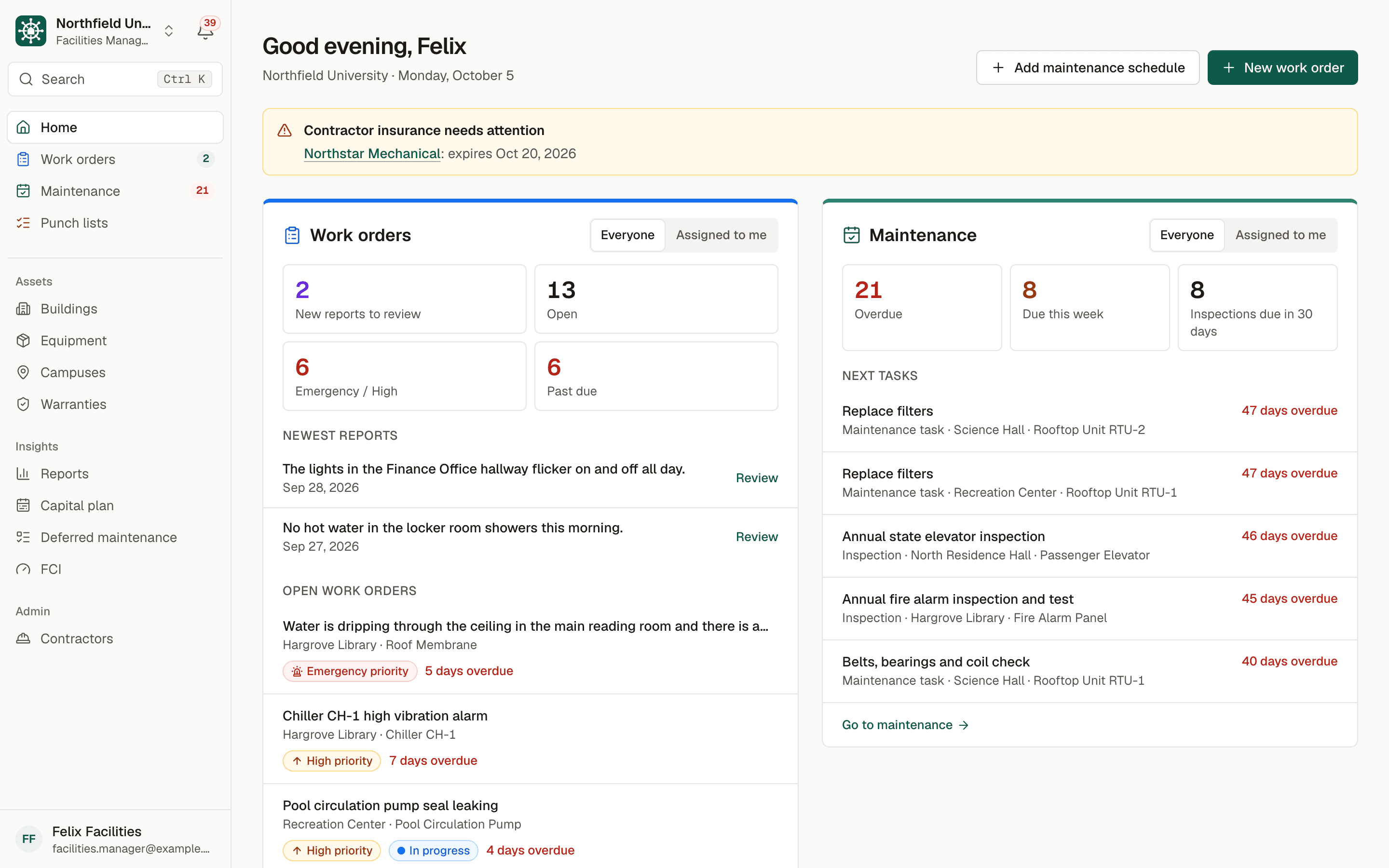
BldgHelm home screen for a facilities manager: a blue Work orders panel with new reports, open, emergency and past-due counts, and a green Maintenance panel listing overdue tasks such as filter changes and an elevator inspection.
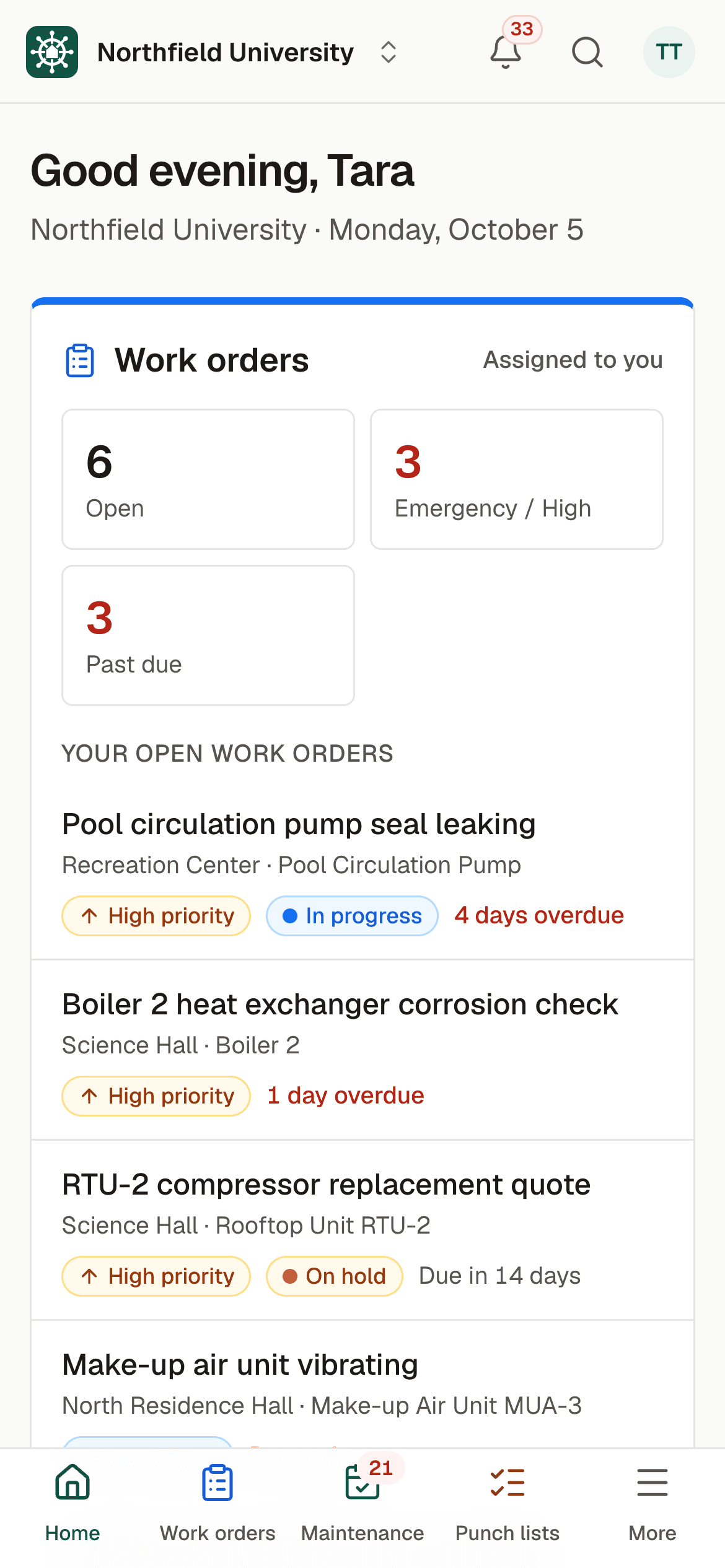
A technician's phone home screen: their open, emergency or high, and past-due work order counts, and their open work orders with priority and status.

Sample data. Northfield University is a fictional campus.

Why BldgHelm

Facilities teams keep campuses running. Their tools haven't kept up.

Most campuses still run maintenance on a patchwork that works until the day it doesn't.

  • Spreadsheets that drift

    A different file for equipment, PMs and repairs, each out of date in its own way.

  • Binders in the mechanical room

    Service history on paper, where nobody can search it and the next person can't find it.

  • Missed inspections

    Code-required inspections tracked in someone's calendar, until that someone is on vacation.

  • Surprise capital costs

    A chiller fails and the replacement wasn't in anyone's budget, because nobody saw it coming.

  • Contractors with no visibility

    Work orders by phone and email, and no record of what was done, when, or whether it's finished.

  • One shared record instead

    Every building, room and asset, with its history, schedule, warranty and replacement cost, in one place your whole team uses.

    See the workflows

Three workflows, clearly separated

Work orders, maintenance and punch lists. Each in its own place.

They are different jobs with different rhythms, so BldgHelm keeps them apart: each has its own screen, colour and icon, on the desktop and on the phone.

Work orders

Problems reported in seconds, fixed without the phone tag.

Issues reported by students and staff, and work your team creates itself, land in one queue with an owner, a due date and a full history.

  • A QR label on every room and piece of equipment opens the report form with the location already filled in.
  • Students and staff report without an account, and get a private tracking link by email.
  • Review new reports, then approve and assign to a technician or contractor in one step.
  • Technicians start, log work, add photos and complete from their phones.
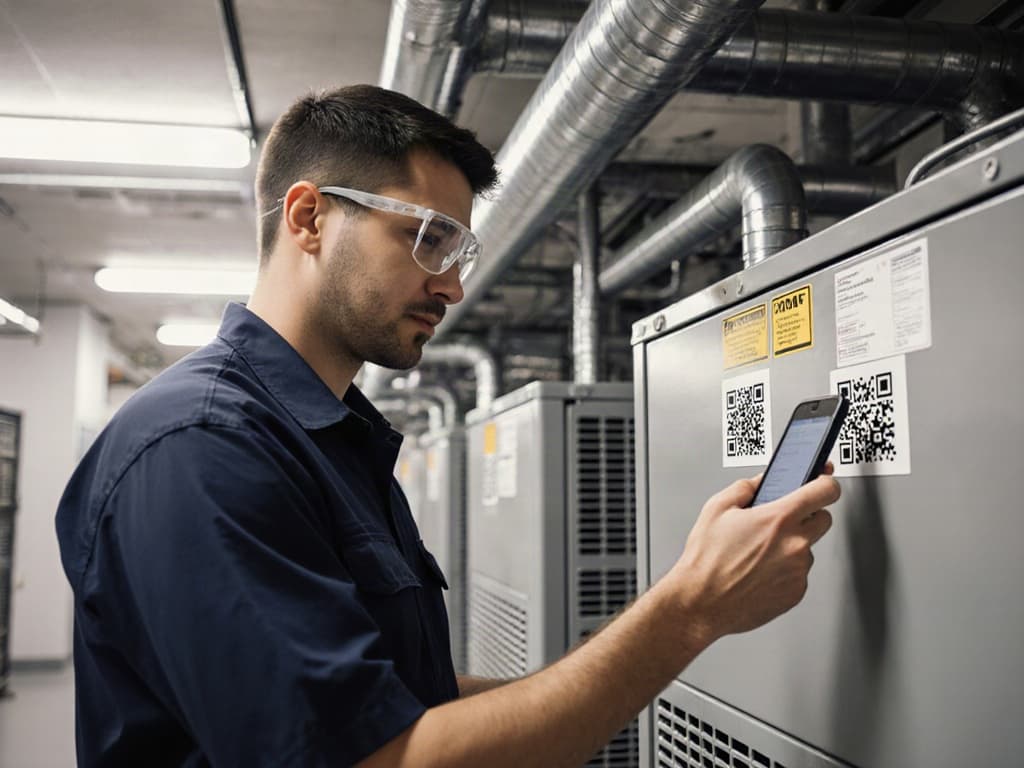
A technician in safety glasses scans the QR label on an air handler with his phone.
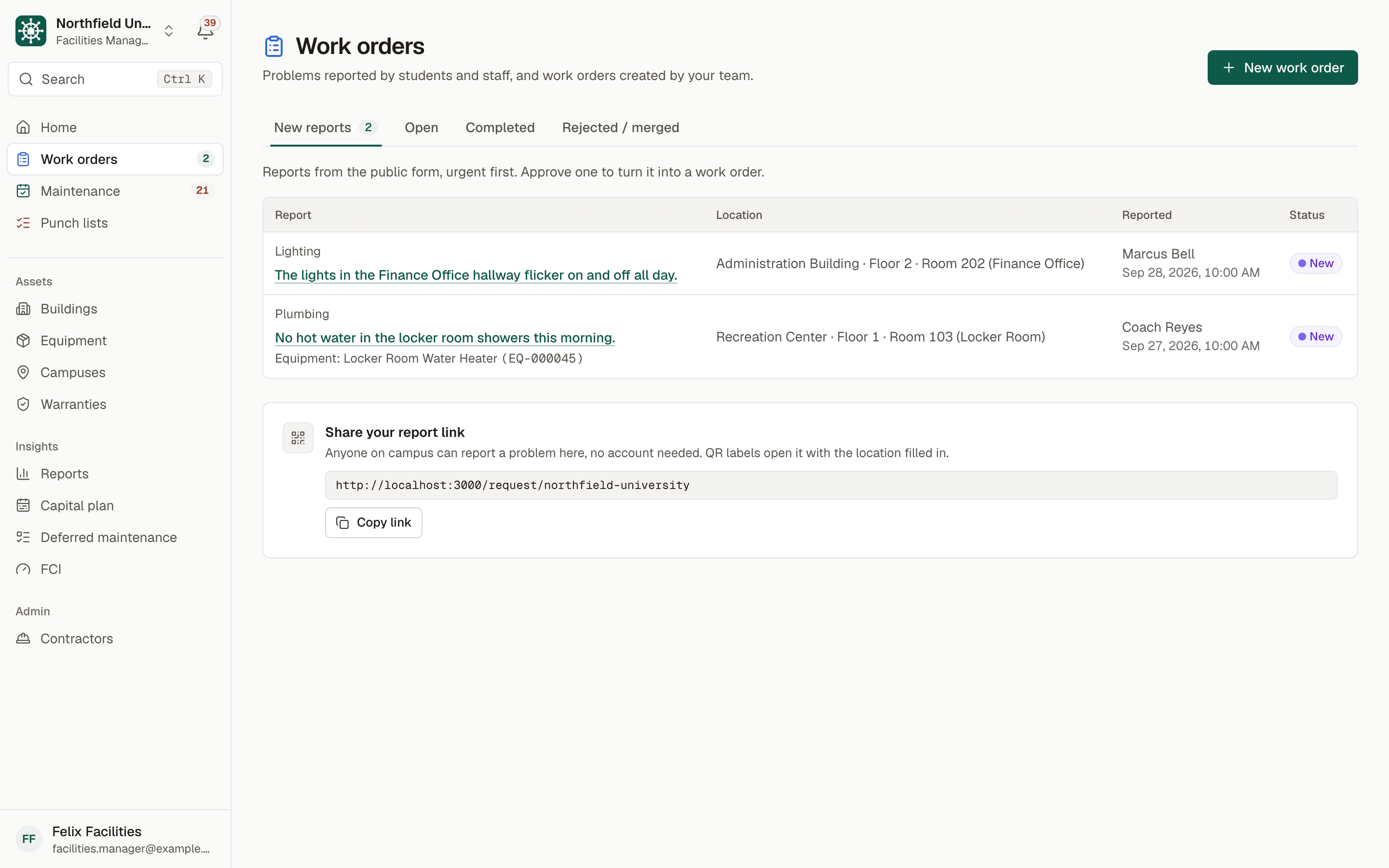
Work orders hub on the New reports tab: two reports from students and staff with location, reporter and a New status, and a card for sharing the campus report link.
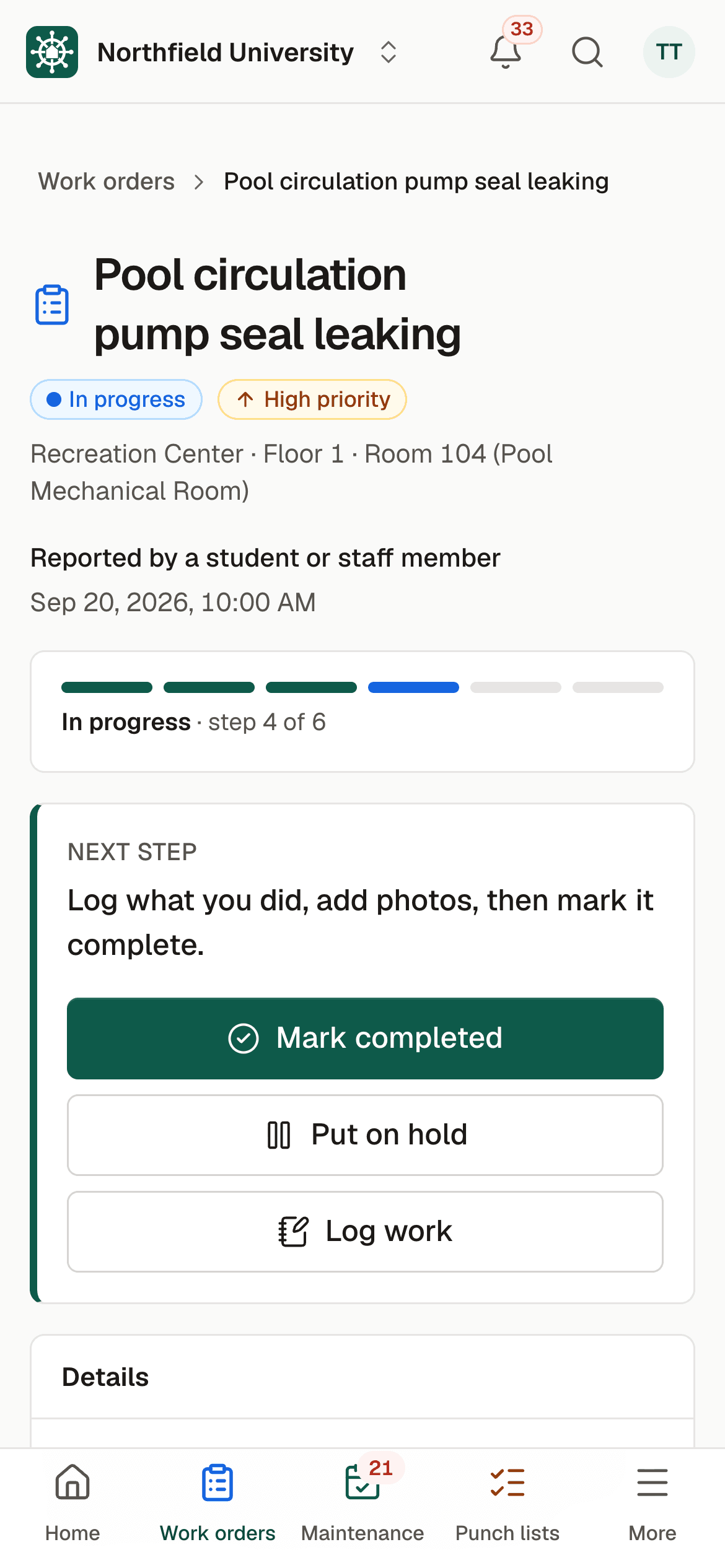
A work order on a phone with large Mark completed, Put on hold and Log work buttons.
Maintenance

Preventive maintenance and inspections that don't slip.

Every recurring task across every piece of equipment, with the inspections the code requires marked as such, and a clear list of what is overdue.

  • Recurring schedules by days, weeks, months or years, with optional checklists, assigned to a technician or a contractor.
  • Code-required inspections tracked with results and certificates.
  • Overdue and due-soon alerts, by email and in the app, every day.
  • A true on-time completion rate, and compliance reports in PDF or Excel for fire marshals, insurers and state inspectors.
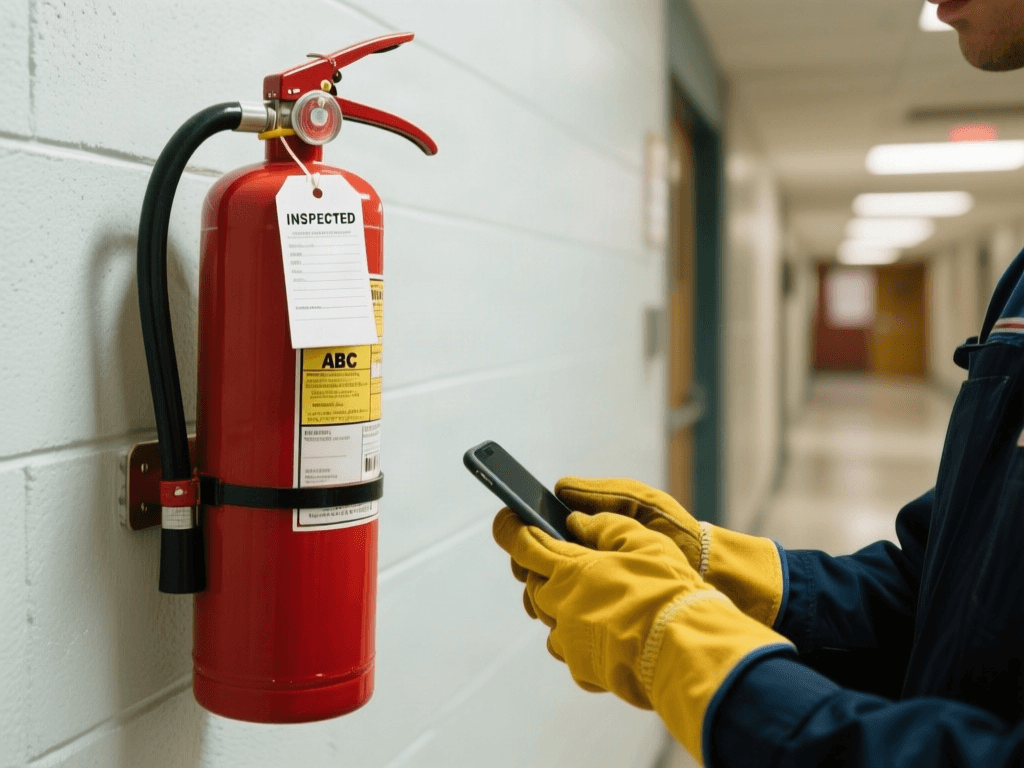
Gloved hands hold a phone next to a wall-mounted fire extinguisher tagged Inspected.
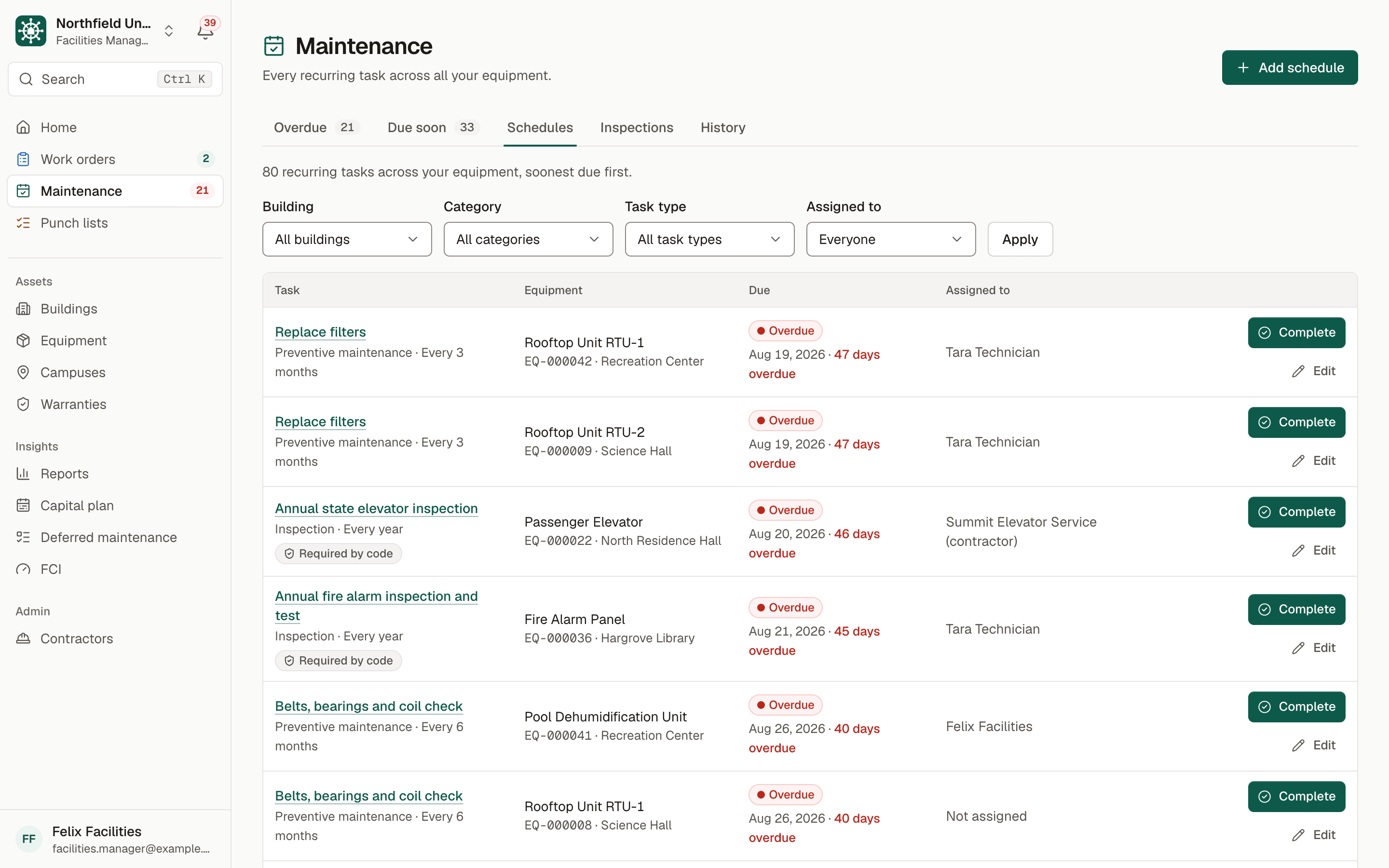
Maintenance schedules: recurring filter changes and code-required elevator and fire alarm inspections, each with equipment, due date, overdue status, assignee and a Complete button.
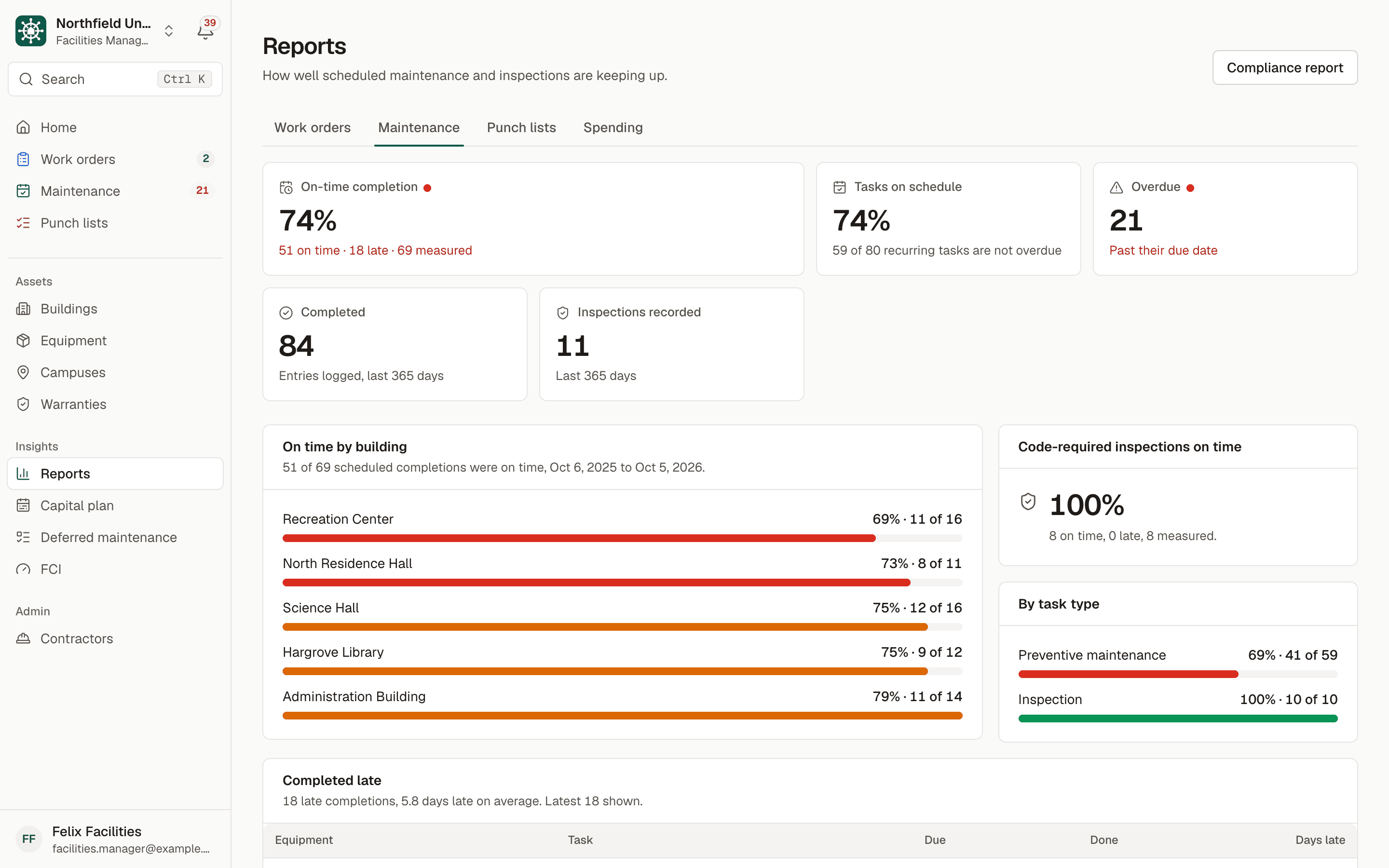
Maintenance report showing a 74 percent on-time completion rate, tasks on schedule, overdue count, and on-time completion by building.
Punch lists

Walk a building. Capture everything. Close it out.

For summer turnover, move-in, renovations and handovers: your staff walk the building and list what needs fixing, room by room.

  • Add an item in under a minute on a phone: the room, a photo, what it is and how urgent.
  • Assign items to a technician or contractor, and escalate one to a work order in a click.
  • A manager verifies the fix before the item counts as done.
  • Export the list to PDF with photos, or to Excel, to send to a contractor.
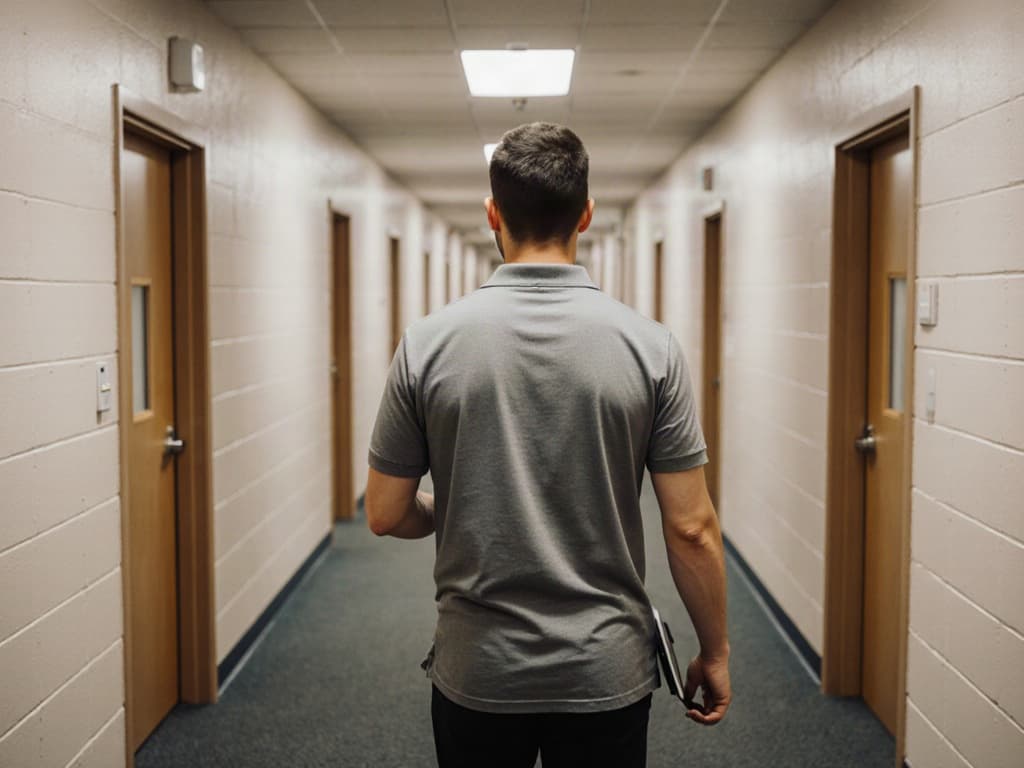
A staff member with a tablet walks down a residence hall corridor.
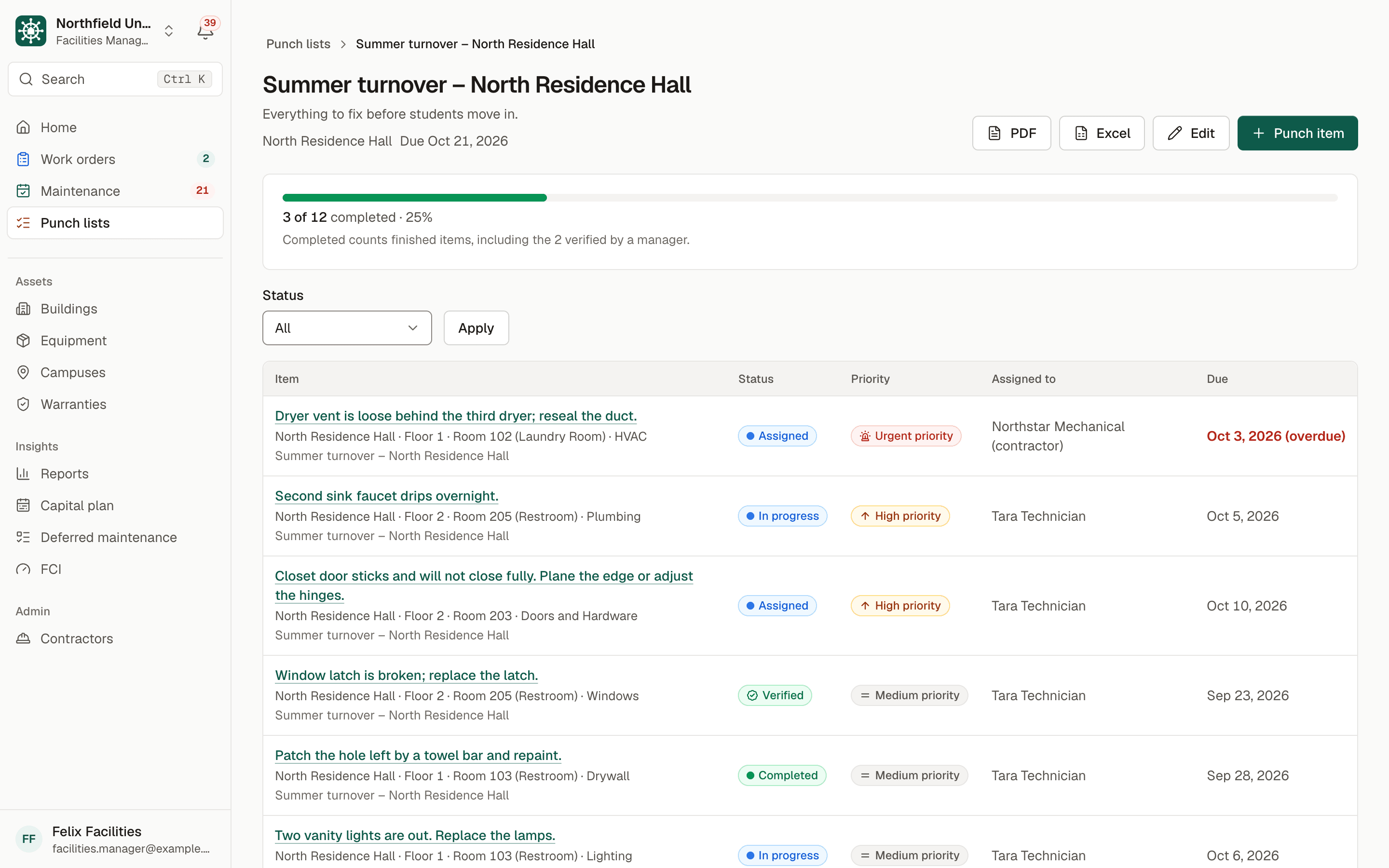
A summer turnover punch list for a residence hall: 3 of 12 items completed, with PDF and Excel export buttons and items such as a loose dryer vent and a dripping faucet, each with status, priority, assignee and due date.
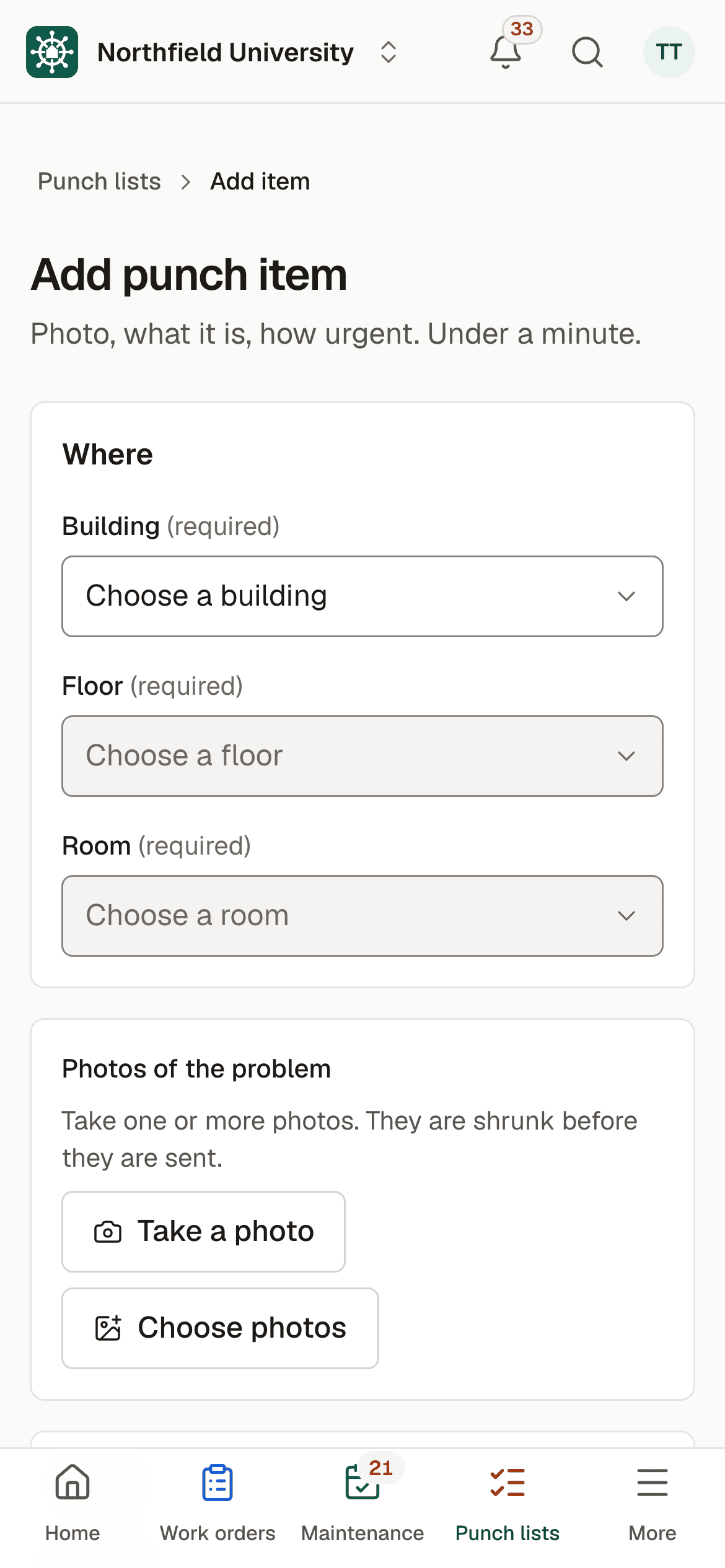
Adding a punch item on a phone: choose the building, floor and room, then take a photo.
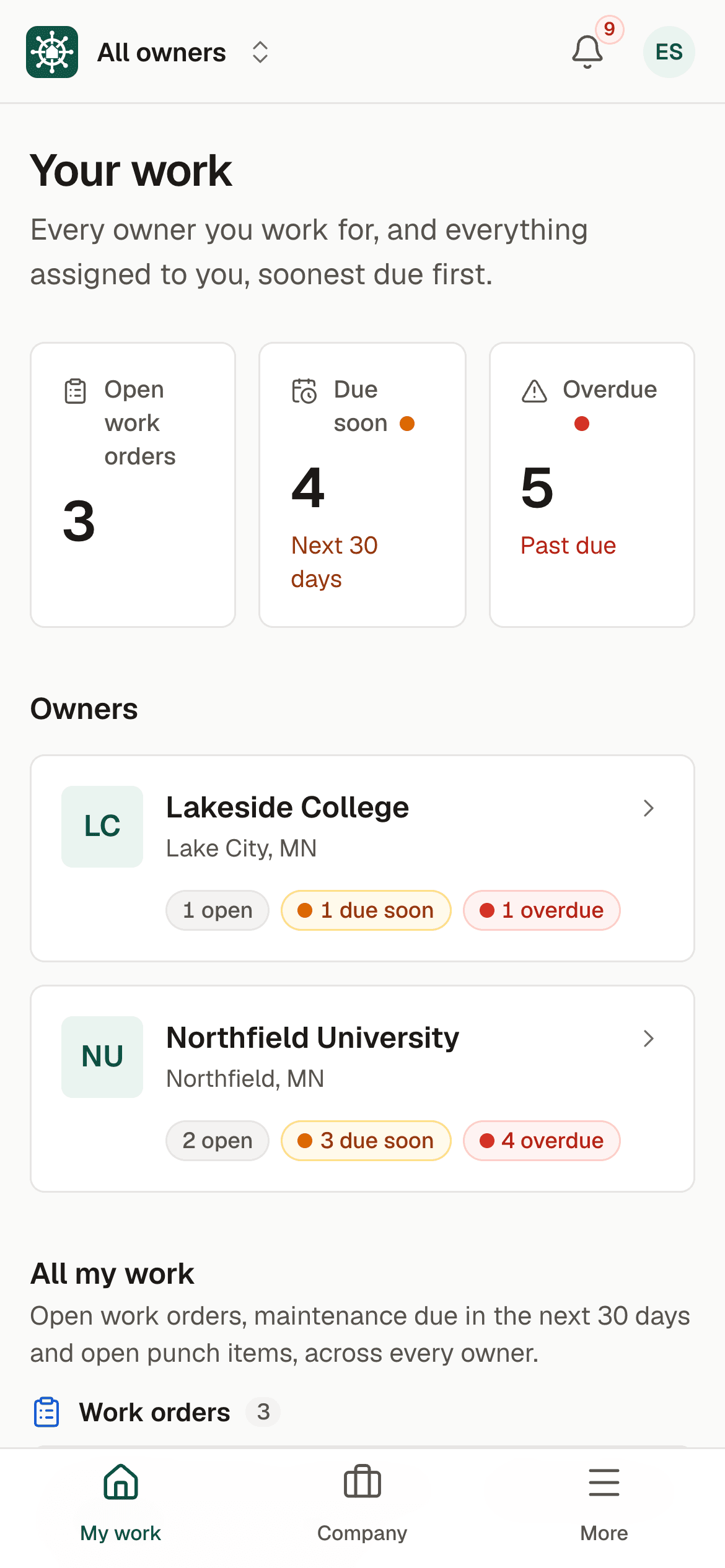
A contractor's phone home screen listing the two campuses they serve, Lakeside College and Northfield University, each with open, due-soon and overdue counts.

Contractor portal

One login for every campus they serve.

Your elevator, HVAC and fire-alarm vendors record their work in BldgHelm themselves, from their phones. They see only what you assign to them, and you get the record.

  • Free for contractors. A company joins once and keeps the same login for every owner it works for.
  • Inside your campus they see only their assigned work orders, maintenance and punch items. Never your costs, warranties or other vendors.
  • Campuses never see each other, or which other campuses a contractor serves.
  • They log hours, notes and photos on the job, and keep their insurance certificate current for every owner at once.

Capital planning

See the replacements coming before they hit the budget.

The same records your team keeps every day become a capital plan that finance and leadership can read.

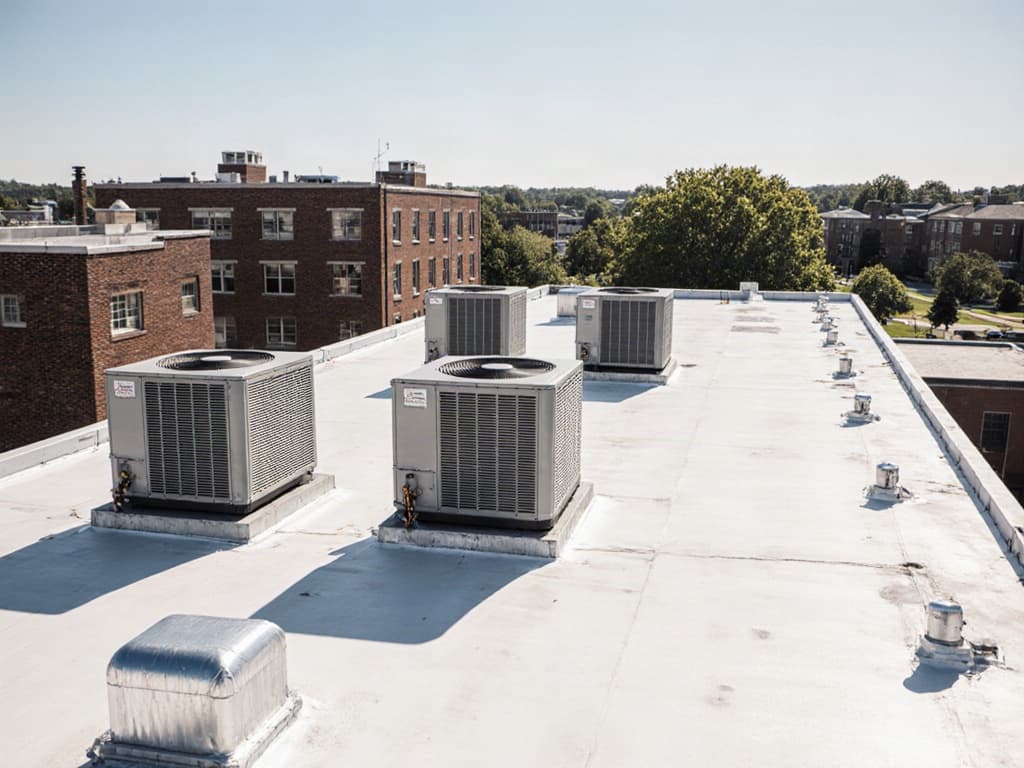
Rooftop condensing units on a white membrane roof, with brick campus buildings behind.
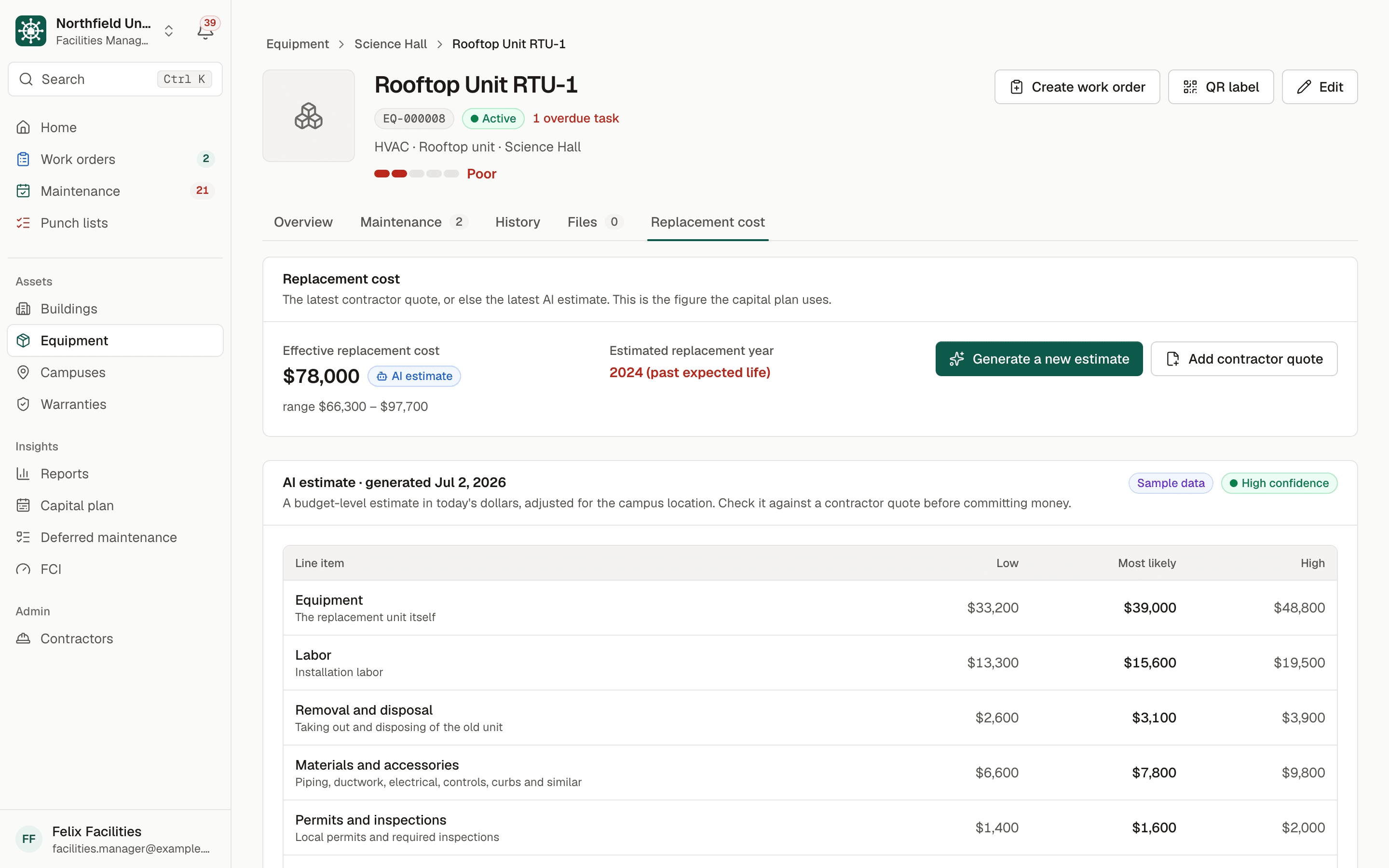
Replacement cost for a rooftop unit: an effective cost of 78,000 dollars labelled AI estimate, a low to high range, and a line-item breakdown for equipment, labor, removal, materials and permits.
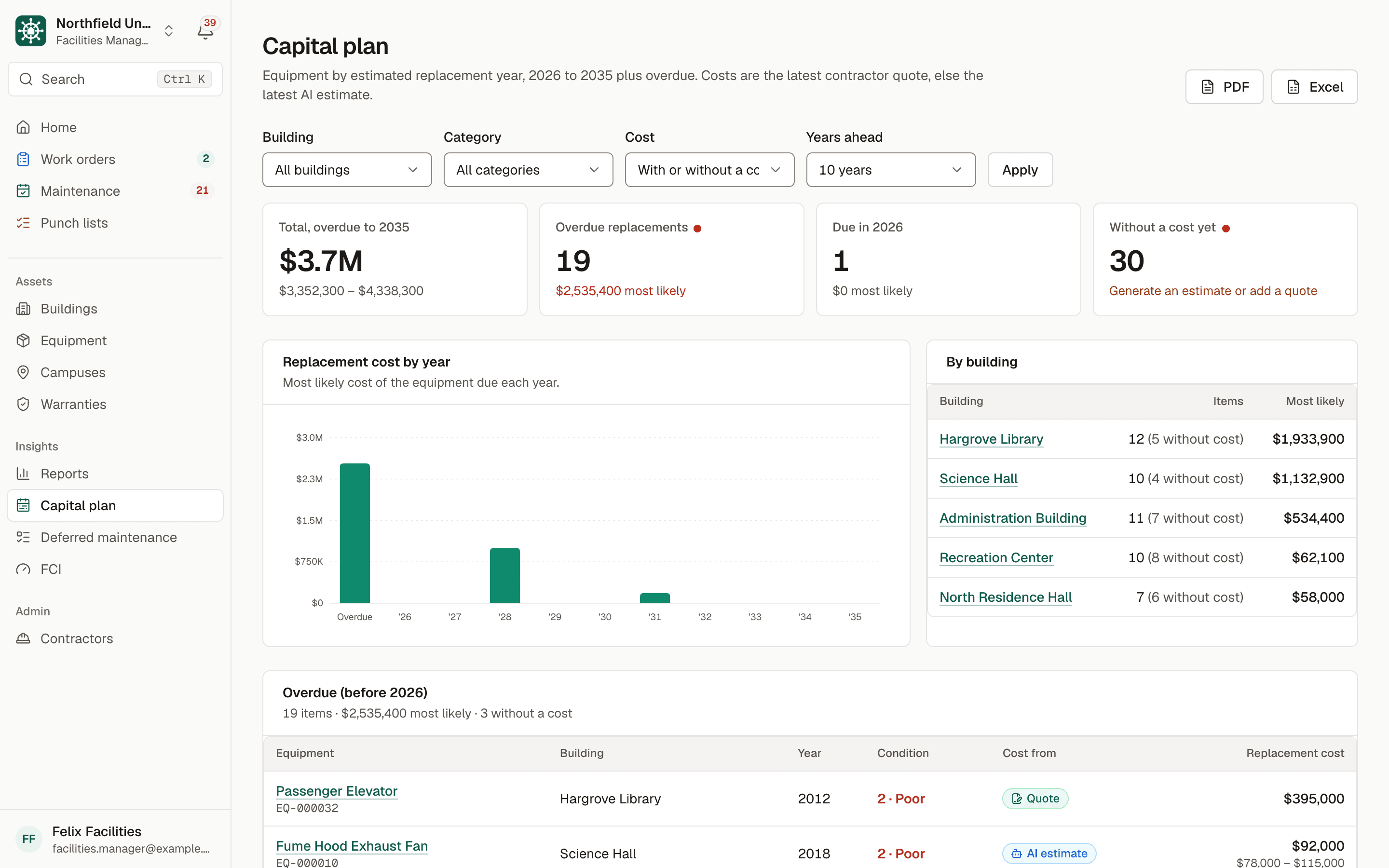
Capital plan: total replacement cost to 2035, overdue replacements, a bar chart of replacement cost by year, and costs by building.
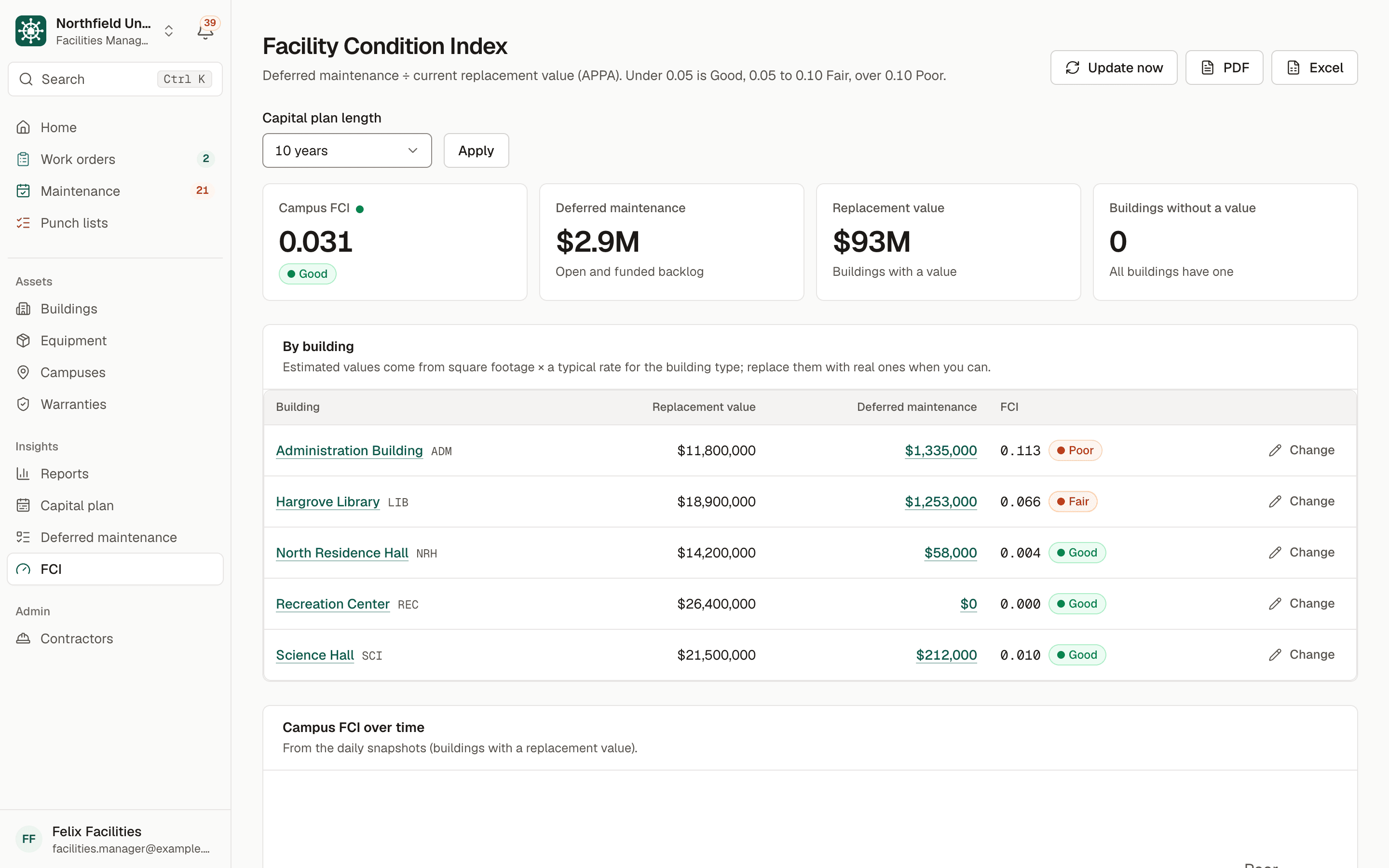
Facility Condition Index: campus FCI of 0.031 rated Good, deferred maintenance and replacement value, and FCI by building rated Good, Fair or Poor.

Replacement estimates

A budget-level estimate for any piece of equipment, with a low, likely and high figure and a line-item breakdown, adjusted for your location.

Capital plan by year

Equipment by estimated replacement year for the next 5 to 10 years, by building and category, exported to PDF or Excel for budget meetings.

Deferred maintenance and FCI

A backlog of deferred work and the Facility Condition Index for each building and the campus, rated Good, Fair or Poor, with a history over time.

Estimates are clearly labelled. Every AI estimate says so, with the date it was made, and is kept for price history. When you add a contractor quote, the quote takes priority in the capital plan.

Warranties, notifications and more

The details that save money and time.

Warranties tracked to the day, the right reminders to the right people, and the records you need when someone asks.

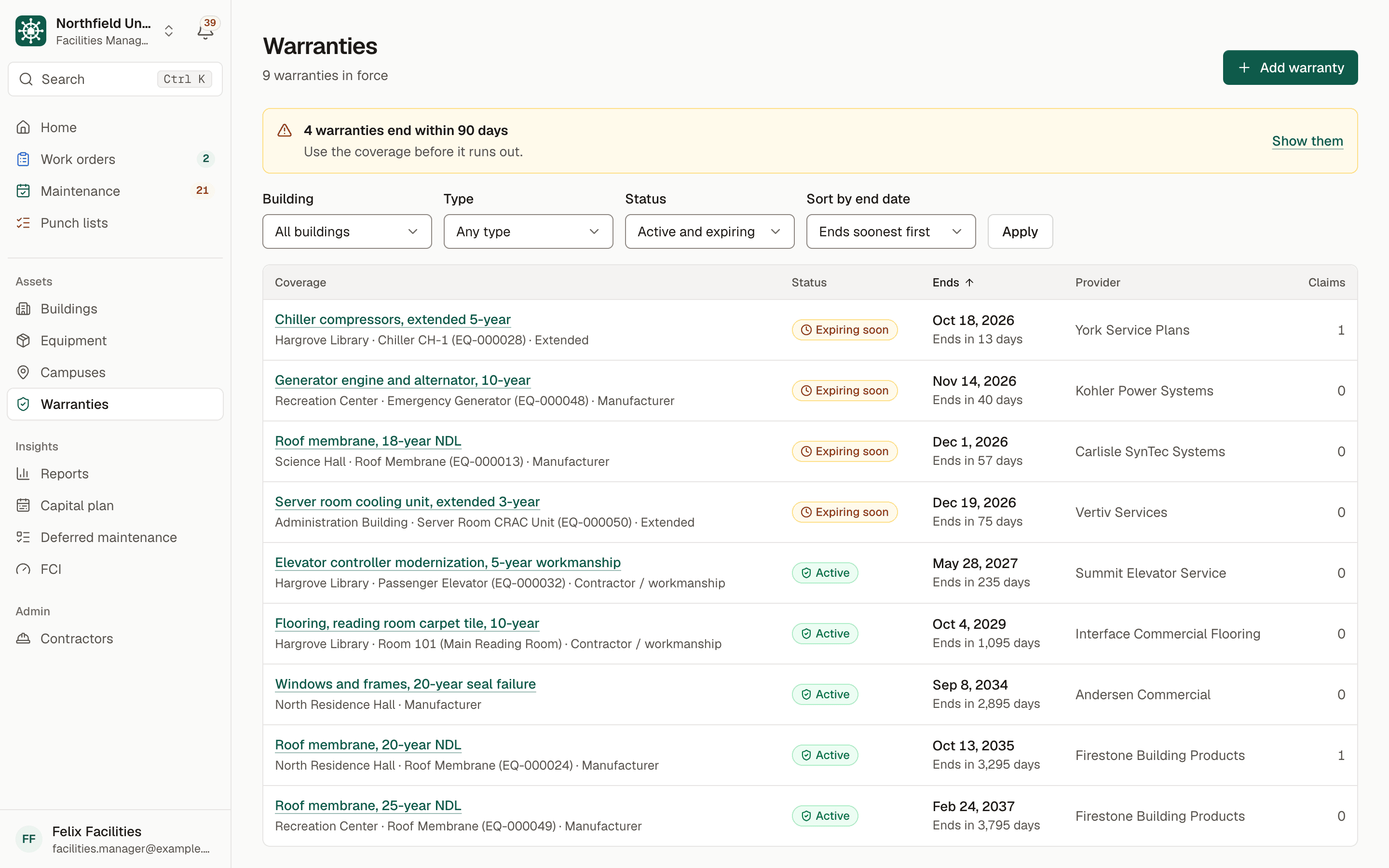
Warranties list with a notice that 4 warranties end within 90 days, and coverage for chillers, generators, roofs and elevators marked Expiring soon or Active with end dates.
  • “May be under warranty”

    Before anyone pays for a repair, a banner warns when the equipment or space may still be covered.

  • Expiry alerts

    Reminders 90, 60 and 30 days before a warranty ends, so you use the coverage you paid for.

  • Daily reminders

    A daily check sends reminders for work due soon or overdue, in the app and by email. Everyone chooses what they get.

  • Search everything

    Find any building, room, asset, work order, report, punch item or warranty from one search box.

  • QR labels

    Print labels for rooms and equipment on standard Avery sheets, straight from BldgHelm.

  • Compliance reports

    Inspection history with results and certificates, ready for an auditor, in PDF or Excel.

  • Audit log

    Who created, changed or archived what, and when, with the before and after values.

  • Data export

    Export all of your organization's data and files at any time.

  • Roles that match your team

    Owner Admin, Facilities Manager, Technician and read-only Viewer for finance and leadership.

  • Built for phones

    Large touch targets, and add it to the home screen like an app. Dark mode for dim mechanical rooms.

How it works

From spreadsheets to live in three steps.

Onboarding is guided: a checklist in the app walks your team through each step, and we set it up with you during the pilot.

  1. Step 1

    Import your spreadsheets

    Upload your buildings, floors, rooms and equipment as CSV or Excel. Start from our template; a preview flags problems before anything is saved.

  2. Step 2

    Print QR labels

    Print labels for rooms and equipment on standard label sheets. A scan opens the asset for staff, or the report form for everyone else.

  3. Step 3

    Go live

    Invite your team and contractors, share the report link with campus, and set up maintenance schedules as you go.

Security and accessibility

Ready for your IT, purchasing and accessibility review.

The measures below are in place today, and the security page explains each one.

Read the security overview

No SOC 2 report yet. We're a young company and won't claim certifications we don't have. We're happy to complete your security questionnaire.

  • Tenant isolation in the database

    Row-level security on every table decides who can read or change each record, not just the screens. Automated tests check it on every change.

  • Private files, expiring links

    Photos and documents live in private storage and are shown only through signed links that expire.

  • Audit log

    Every create, change and archive is recorded with who, when, and the before and after values. Nothing is hard-deleted.

  • Daily backups

    The database is backed up every day and encrypted at rest; all traffic is encrypted in transit.

  • WCAG 2.1 AA

    Built to WCAG 2.1 AA and checked with automated accessibility tests. A VPAT is available on request.

  • Your data, exportable

    An Owner Admin can export all of your data and files at any time. You own it.

Pilot program

Pilot program: limited spots for the 2026–27 academic year

Annual campus plans, invoiced net-30 with PO and ACH.

Request a demo

We'll go through pricing for your campus on the call.

What's included

  • An annual plan for your campus, with every module
  • Purchase orders and net-30 invoices; pay by ACH or card
  • Contractors use BldgHelm free
  • Guided onboarding and spreadsheet import
  • Export all of your data at any time

FAQ

Questions we hear from campuses.

Is there a phone app?
BldgHelm works in the browser on any phone or tablet, and you can add it to the home screen like an app. Screens are designed for use in the field, with large buttons and a dark mode. Native App Store and Google Play apps are planned after the pilot.
Can we import our existing spreadsheets?
Yes. Upload buildings, floors, rooms and equipment as CSV or Excel files, starting from our template. A preview shows any problems row by row before anything is saved.
Do contractors have to pay?
No. Contractors use BldgHelm free. A contractor company signs up once and uses the same login for every campus that invites it.
How do you say BldgHelm?
"Building Helm." Bldg is the short form of "building" used on campus plans and signs, and the helm is where a ship is steered from.
Do you support single sign-on (SSO)?
Not yet. Today people sign in with an email and password or a one-time email link. SAML single sign-on is on our roadmap for larger campus rollouts; tell us which identity provider you use when you request a demo.
Who owns our data?
You do. An Owner Admin can export all of your organization's data and files at any time. Records are archived rather than deleted, and your data is never shared with other campuses.
Is BldgHelm accessible?
BldgHelm is built to WCAG 2.1 AA, the standard public institutions are held to under the ADA Title II web accessibility rule: keyboard access, screen reader labels and sufficient contrast, in light and dark mode. A VPAT (accessibility conformance report) is available on request. See our security and accessibility overview.

See your campus in BldgHelm.

A walkthrough of the three workflows with sample data, and a plan for bringing over your buildings, equipment and schedules.

Already a pilot campus? Create your account.

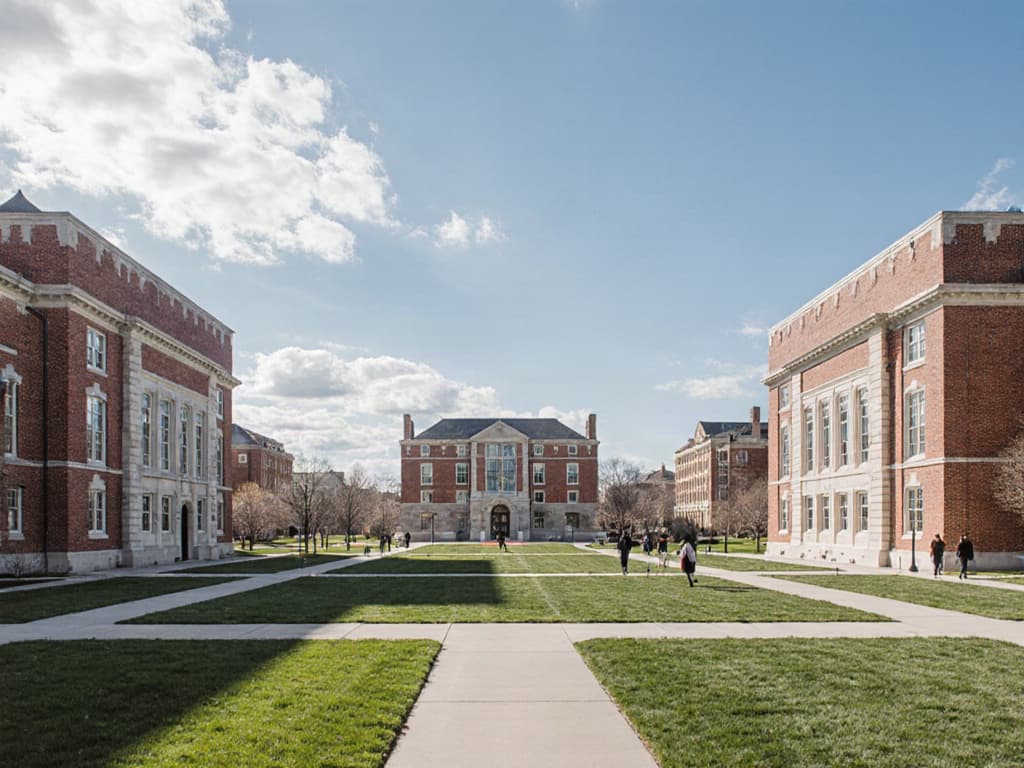
A brick college quad on a clear day, with lawns, crossing paths and a few students in the distance.